
Concept
Agent Console Mobile
Companion app · iPhone
The Mac runs the agents. The phone steers them. See who's working, approve with Face ID, and catch up over coffee.
- Status
- Concept, in design
- Role
- Product, design & architecture
- For
- Anyone running a team in Agent Console
- Platform
- iPhone
- Link
- No public link yet
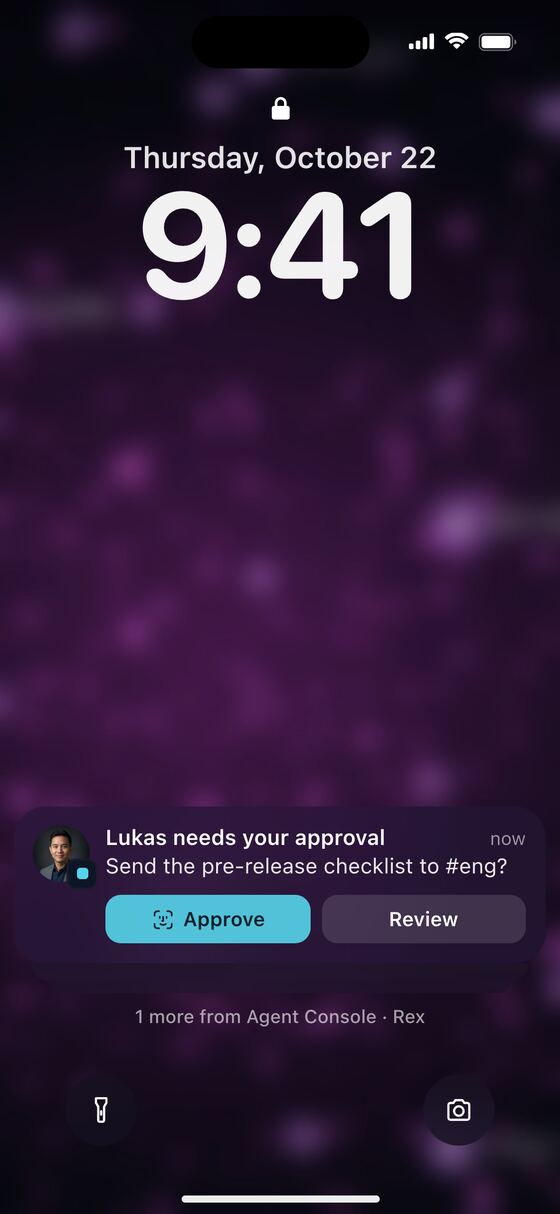
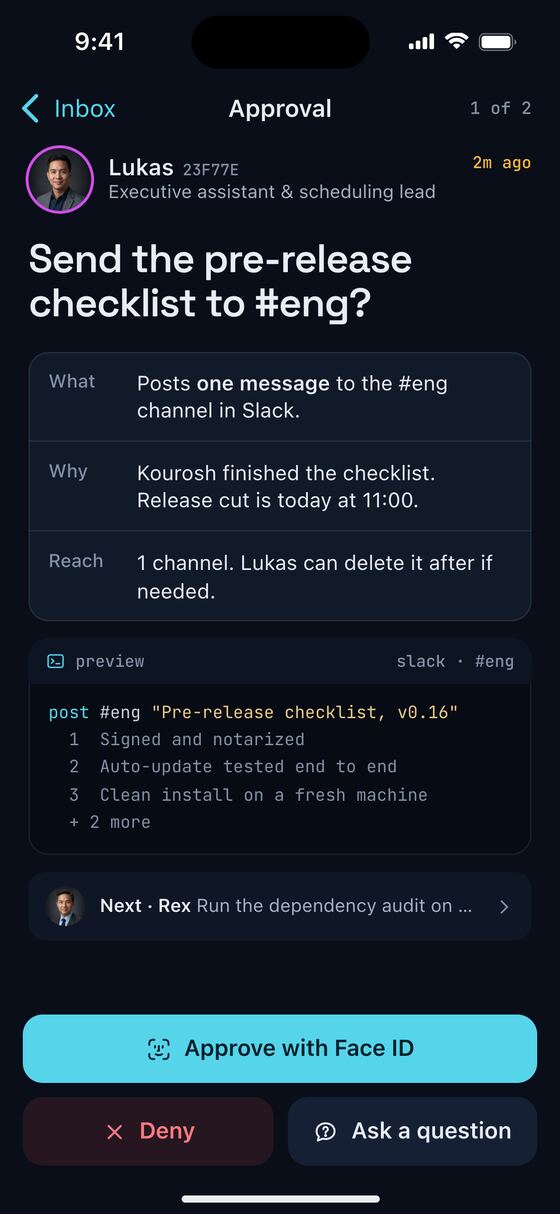
A request lands on the lock screen. You approve, and the roster catches up. Design mockups, not a released app. Sample data.
The problem
Agent Console runs a team of AI agents on my Mac. Each one has its own role, working folder and live terminal. At the desk, it works.
The moment I walk away, I lose sight of them. Worse, the work quietly stops. An agent reaches a step that needs a yes, like posting to Slack or opening a pull request, and it waits. I come back an hour later and it's still waiting.
How it works
The phone doesn't run anything. It pairs with your Mac and becomes a remote for the whole team.
Pairs with your Mac
Scan a code on the Mac and check that the six digits match. One phone, one Mac.
See who's working
The desktop roster, live. Who's working, who's idle, and who's waiting on you, right at the top.
Approve with Face ID
Every request says what the agent wants to do, why, and how far it reaches. Approve, deny, or ask a question.
Morning brief
What shipped overnight, what needs you, and today's meetings. One tap starts triage on the Mac.
Talk to an agent
Chat with any agent in its own session. Hand the result to another agent, or open the full session on the Mac.
Lock screen & Live Activity
Approvals arrive as notifications. A Live Activity shows who's working and what's waiting, without opening the app.
Agents still ask first. Anything that leaves the Mac, like a message or a pull request, waits for your yes.
Key screens
From pairing to a quick check-in on one agent.
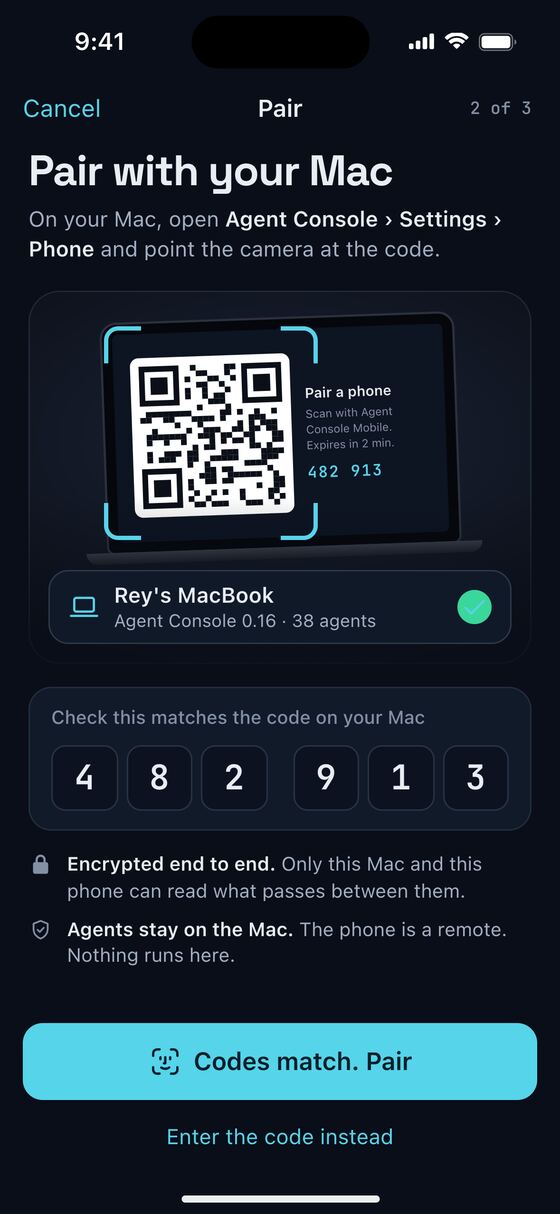
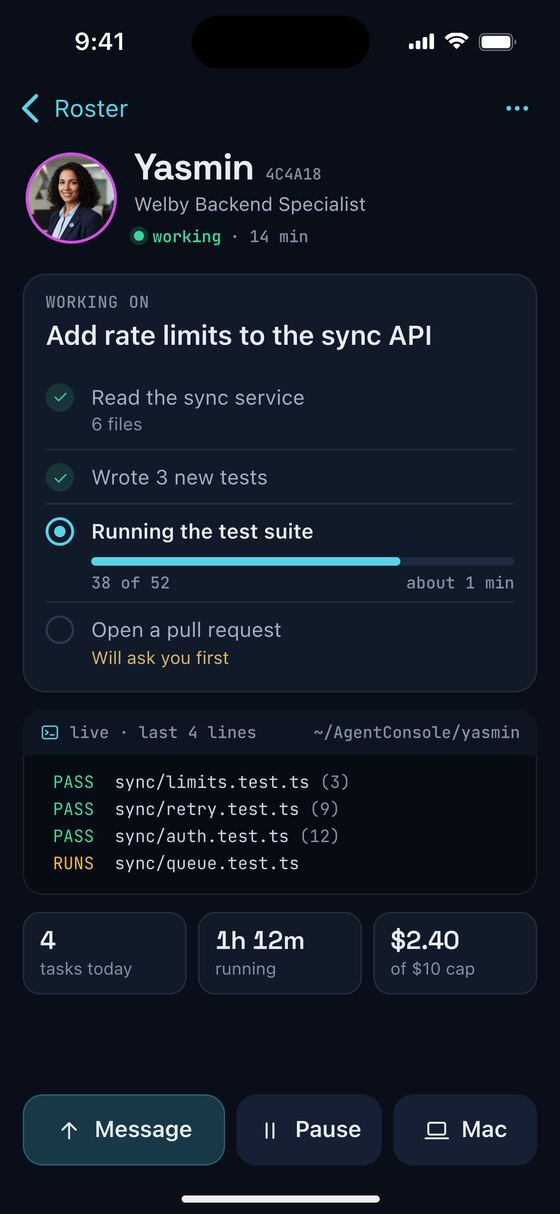
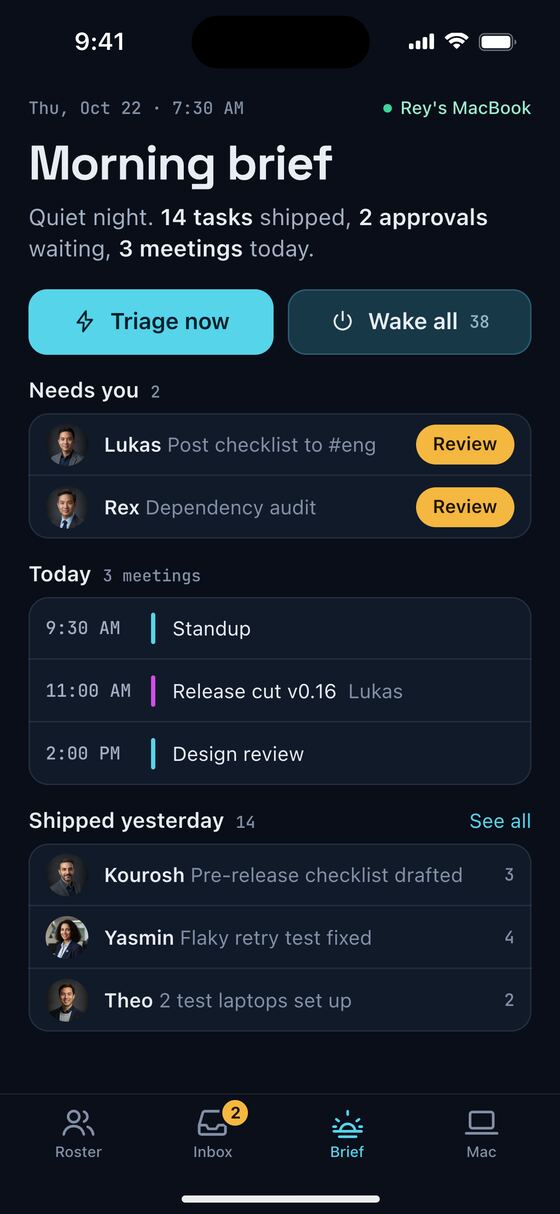
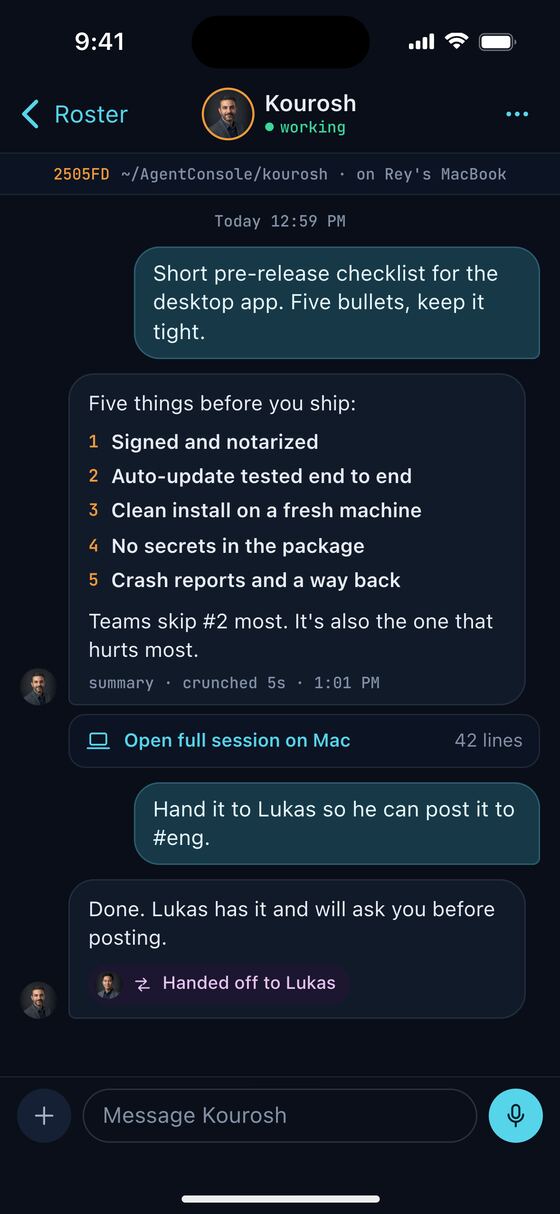
Away from the desk
Most of the time you shouldn't need to open the app. The work comes to you, and a yes takes a second.
Approve with Face ID
Face ID confirms it's you, not whoever picked up your phone. Then Lukas posts the checklist.
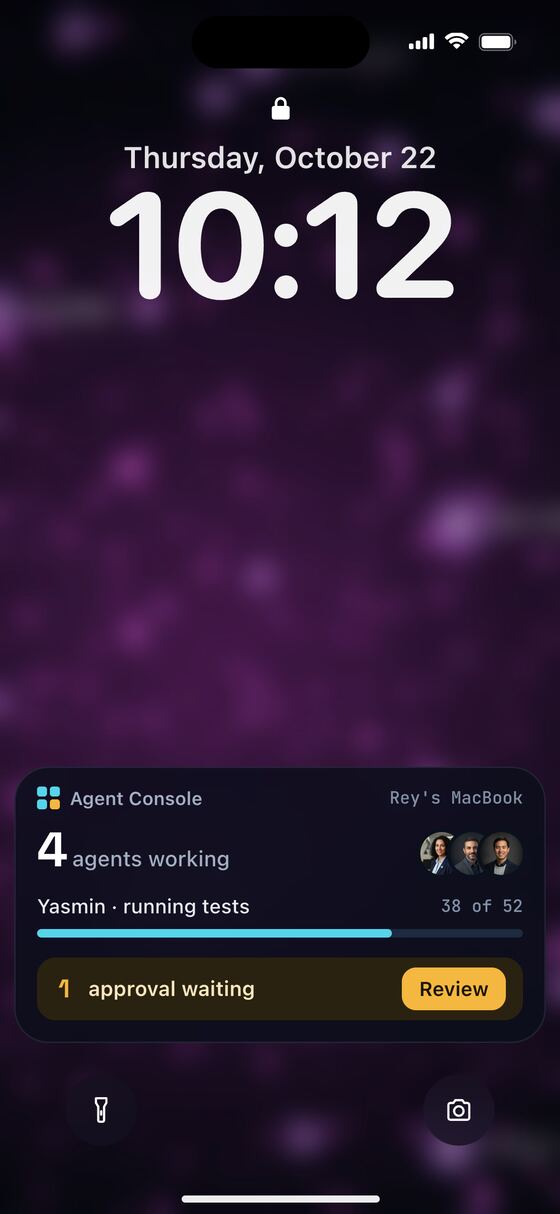
Live Activity
On the lock screen: how many agents are working, the one task worth watching, and what's waiting on you.
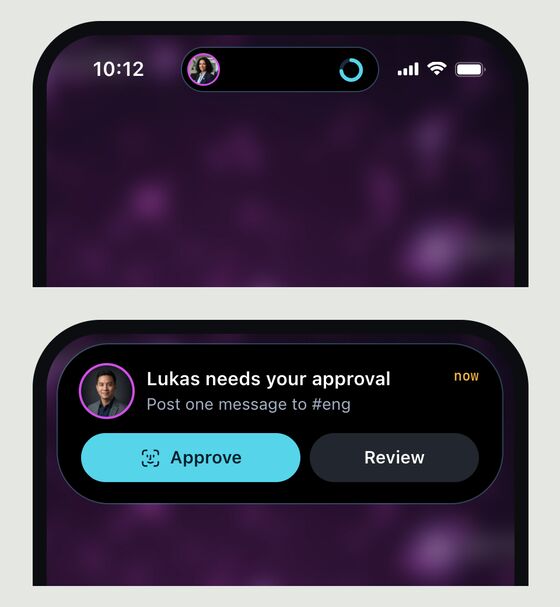
Dynamic Island
A progress ring while an agent works. Touch and hold for the full request. Only a short summary shows here; the details stay in the app.
Under the hood
The plan, in short. The Mac stays the brain. The phone is a remote.
- Native SwiftUI on iPhone, with notifications, Live Activities and the Dynamic Island.
- Nothing runs on the phone. Every agent, file and terminal stays on your Mac.
- Encrypted end to end. The phone and the Mac pair once, and only they can read what passes between them.
- Approvals need Face ID. A lock screen tap alone can't say yes to anything.
Questions
Is Agent Console Mobile available?
No. It's a concept in design. There is no app to download yet.
What does it do?
It pairs an iPhone with Agent Console on your Mac. You see who's working, approve requests with Face ID, and get a morning brief. The phone doesn't run anything.
Can an agent act without my approval?
No. Anything that leaves the Mac, like a message or a pull request, waits for your yes.
A concept in design. No app to download yet.