

Concept
Sasshi
AI chief of staff · iPhone
Every other tool shows you what's in front of you. Sasshi shows you what you're missing. Its AI, Scout, reads your work and each morning tells you what nobody is saying.
Request early accessInvite only. A small group of engineering leaders goes first.
- Status
- Concept, in design
- Role
- Product, design & architecture
- For
- CTOs, VPs & engineering managers
- Platform
- iPhone
- Access
- Early access list
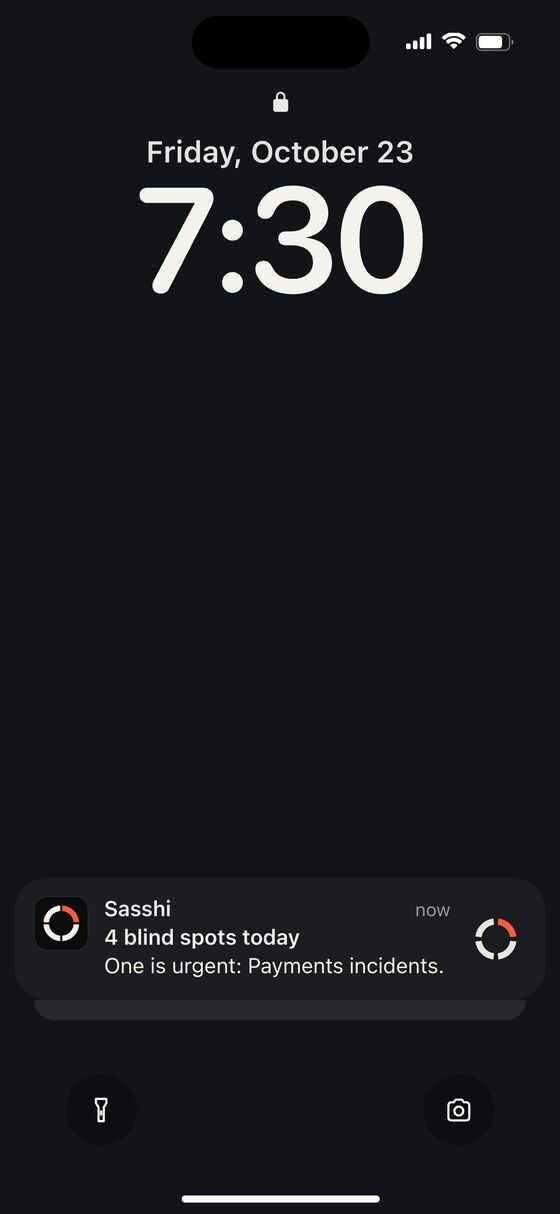
7:30 AM. One notification, then the dial fills with the day's blind spots. Design mockups, not a released app. Sample data and made-up names.
The problem
Engineering leaders live in six tools at once: calendar, email, Slack, meetings, project boards and code. Each one shows what's in front of you. None of them shows what's missing.
The things that hurt are the ones nobody says out loud. A team you haven't talked to in three weeks. Two teams building the same thing. A decision made on a call and never written down. A risk that keeps growing because nobody wants to raise it first.
How it works
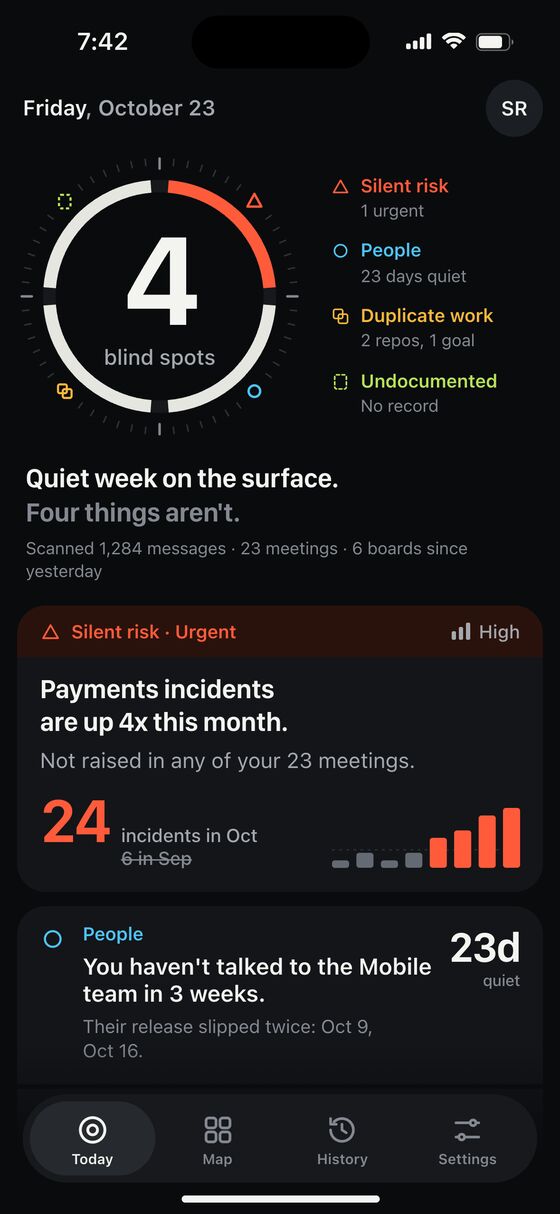
Scout reads your tools, read-only. Every morning at 7:30 it surfaces 3 to 5 blind spots, in four kinds.
People gaps
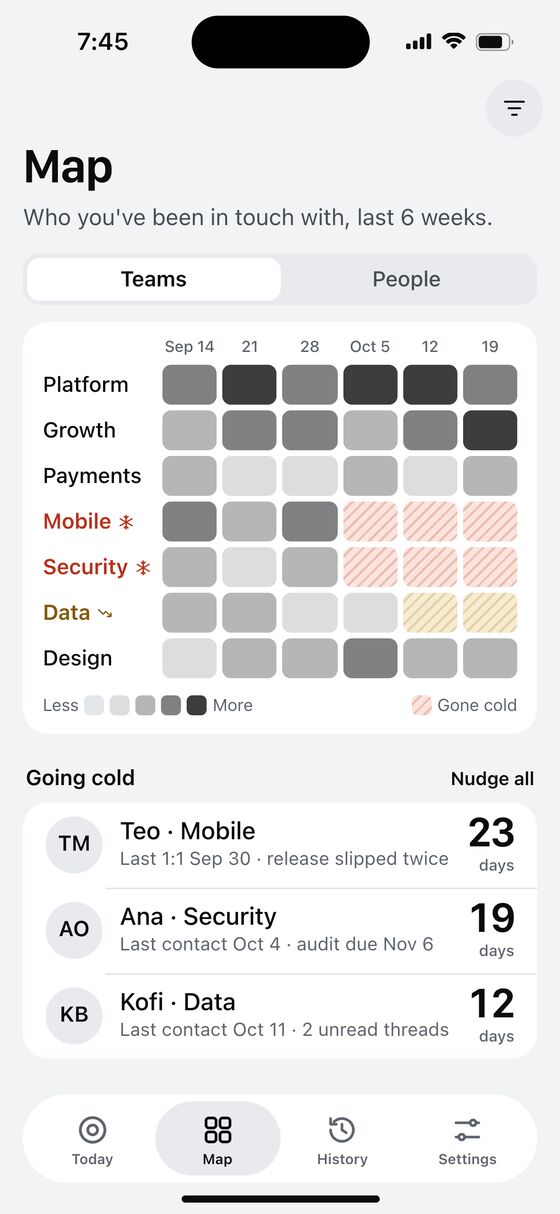
Teams and people who've gone quiet on you, especially when their work is slipping.
Duplicate work
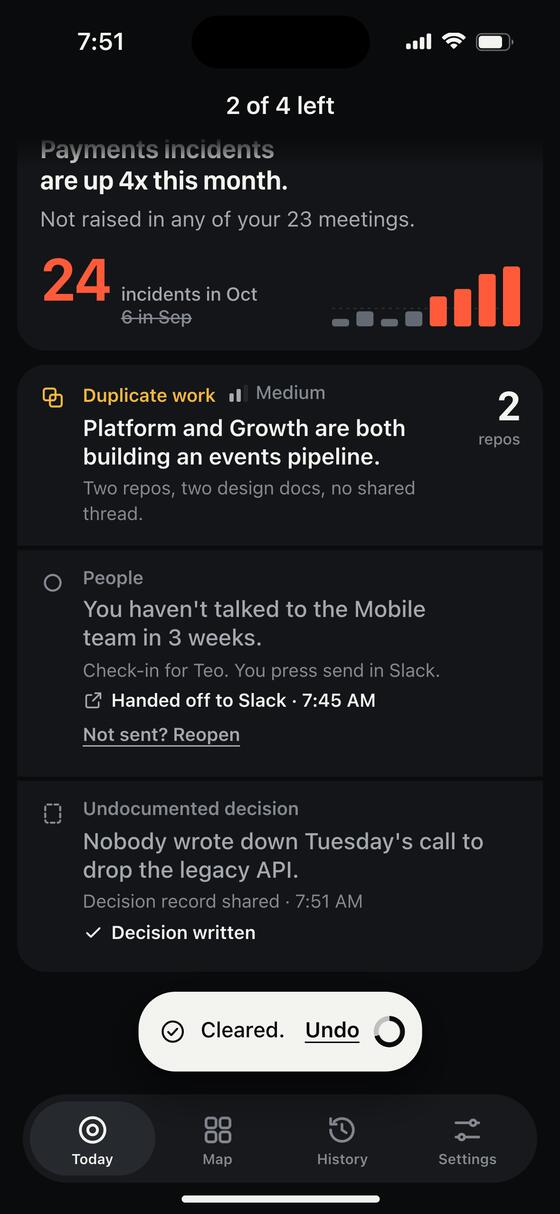
Two teams building the same thing in two repos, with no shared thread.
Undocumented decisions
A call that changed direction and left no doc, ticket or message behind.
Silent risks
A problem growing in the data that never comes up in your meetings.
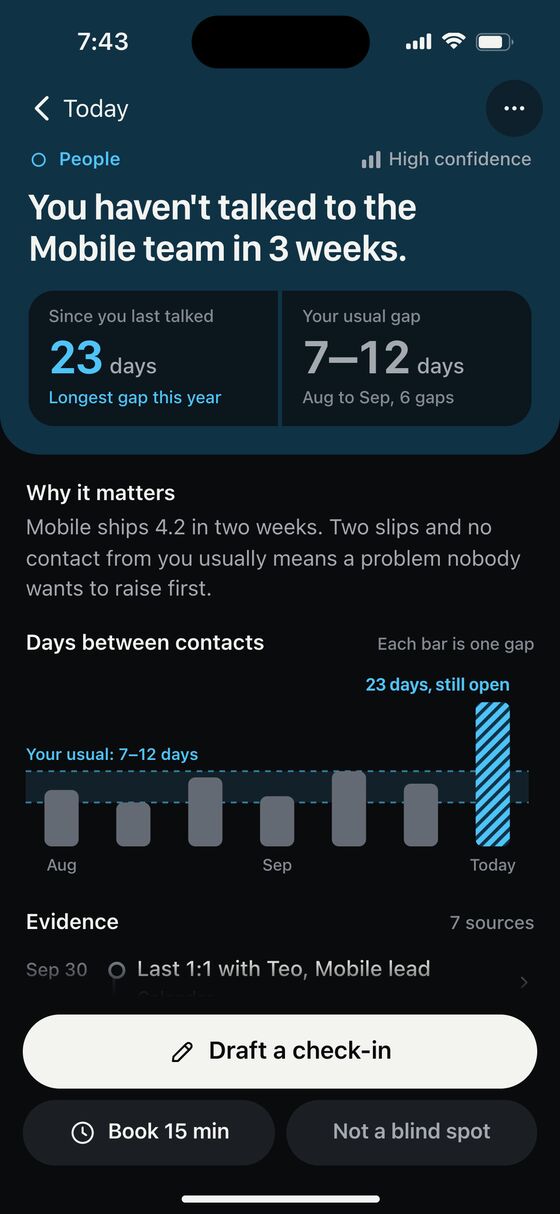
Every blind spot comes with:
- Receipts. The exact messages, meetings and tickets it came from.
- Why it matters, in a sentence or two.
- A confidence level, so you know how hard to lean on it.
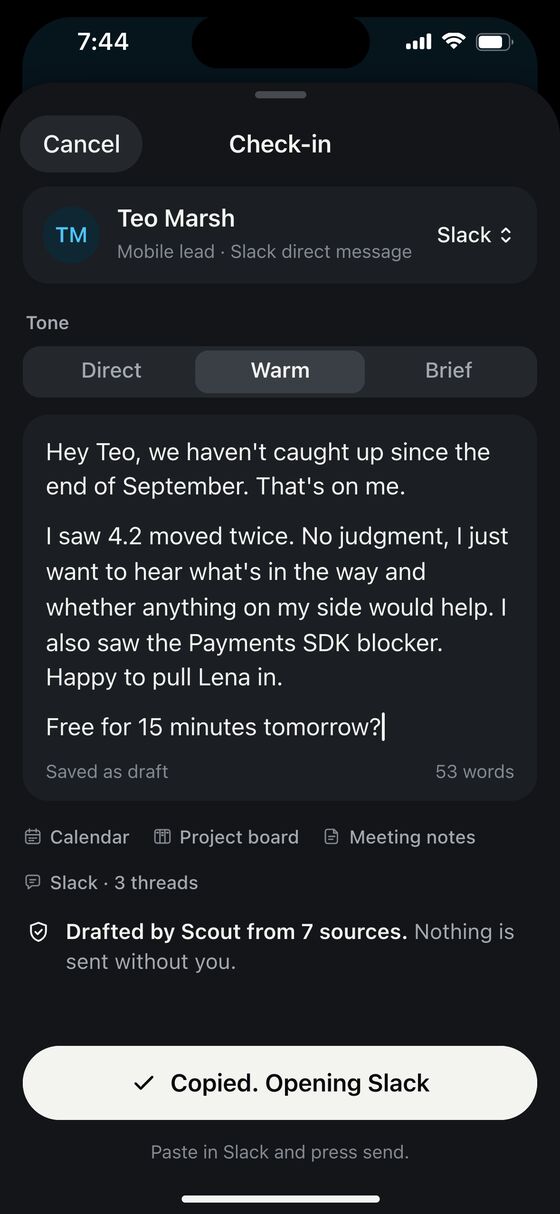
- A one-tap next step: a drafted message, a 15-minute booking, or a decision record.
Nothing is sent without you. Scout drafts. You read it, edit it, and send it from your own Slack or Mail.
Key screens
The daily loop, from the morning list to a handled blind spot.
In motion
Every move shows where something came from or where it went. Each one has a calm version for Reduce Motion.
The gap chart draws itself, then the evidence lands in order.
Send hands off to Slack. The text is copied, ready to paste.
Mark a card as not a blind spot, give a reason, and Scout learns from it.
Making it a habit
The first version worked but felt flat. So each day got a finish line and each week got a look back. No points, no leaderboards, no confetti. The best day is the one you spend the least time in the app.
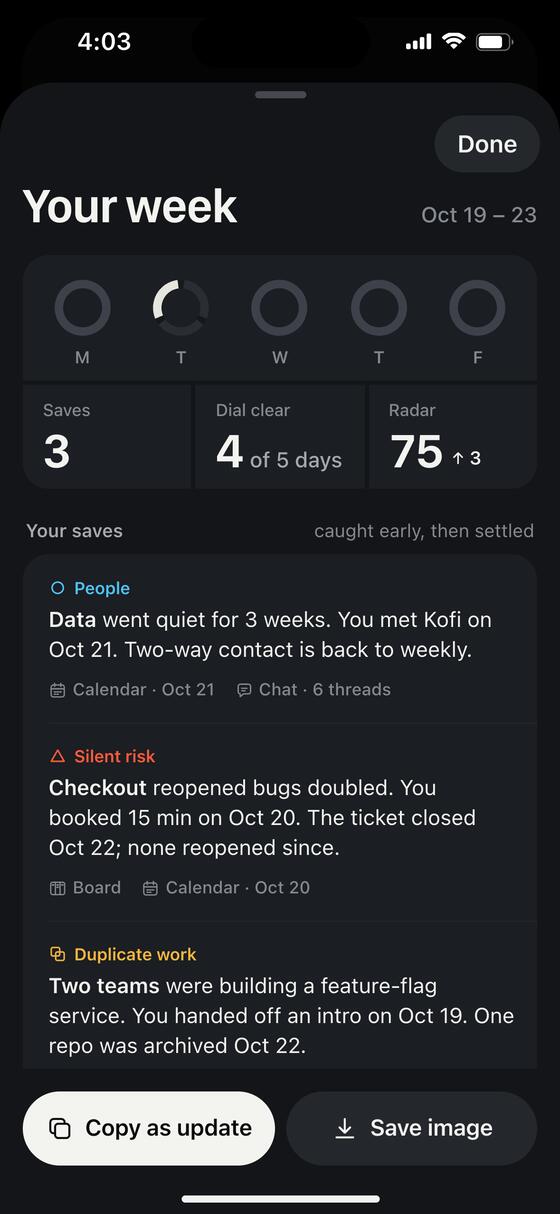
Clear your dial
Act on every blind spot and the dial closes. Then Scout stays quiet until tomorrow.
Your week
Every Friday: what you caught early and what happened after, with receipts. One tap copies it as an update.
The Radar
A private weekly reading, 0 to 100, of how clear your view of the org is, and which habit would sharpen it.
Built for the bad mornings
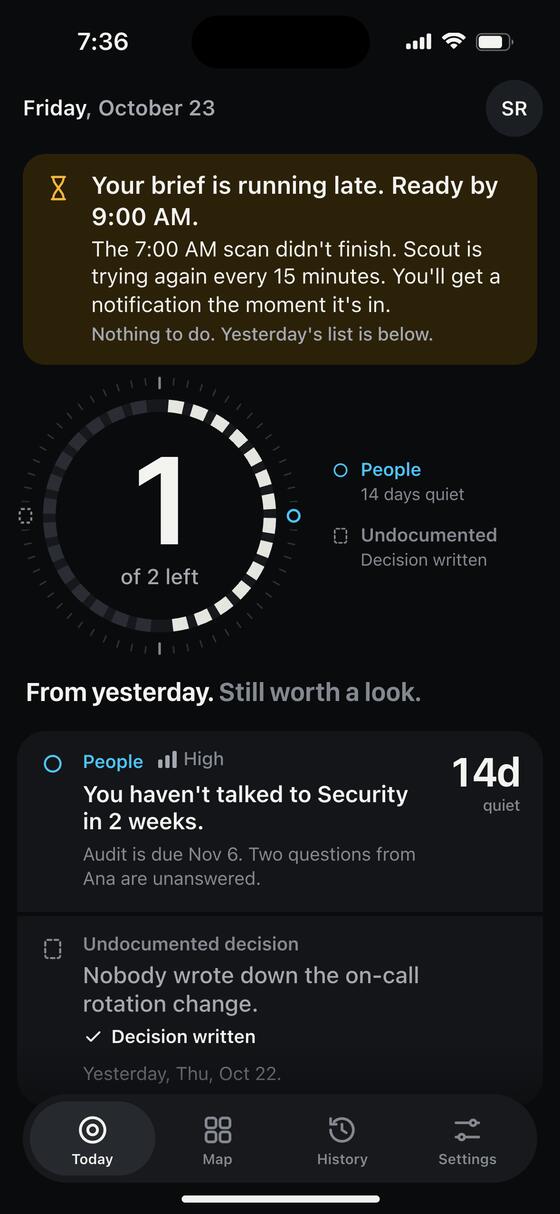
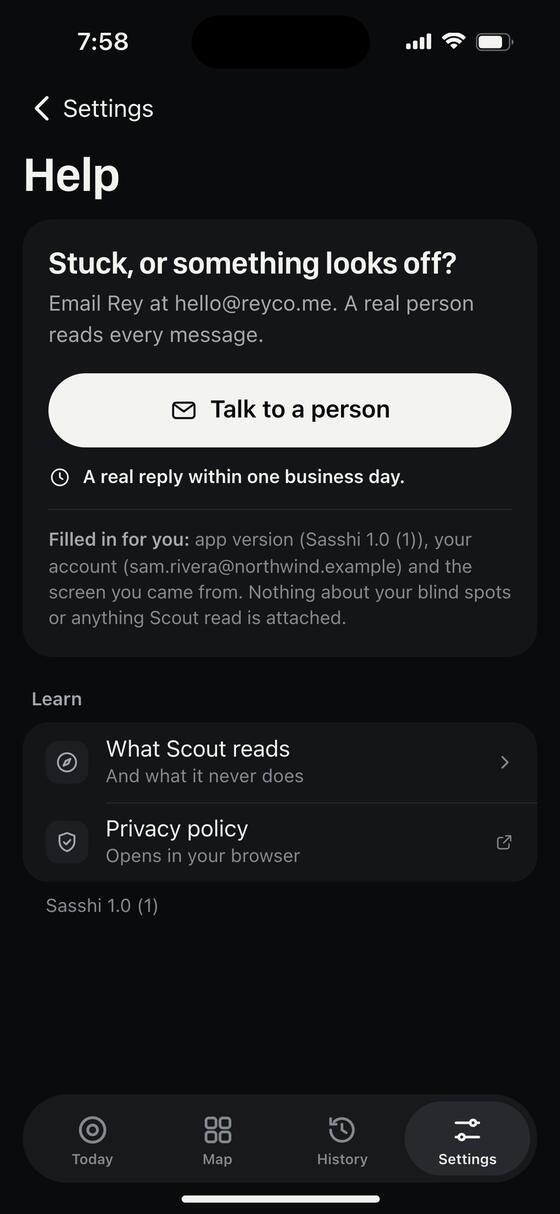
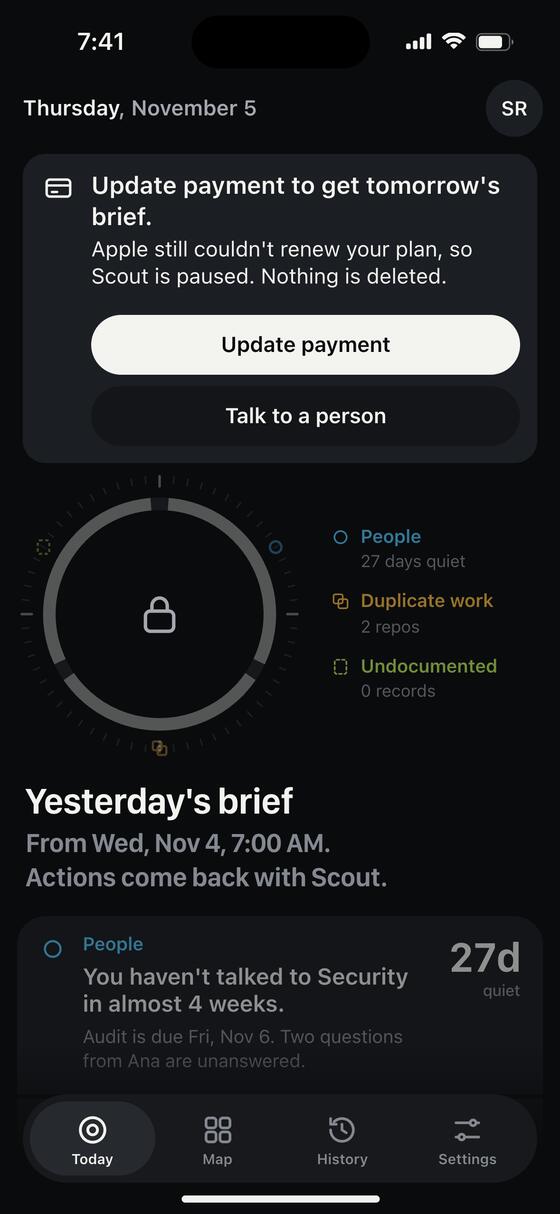
Scans run late. Payments fail. You clear the wrong card. When something goes wrong, Sasshi says what happened, what Scout is doing about it, and the one thing you can do. When it matters, a real person is one tap away.
Under the hood
Built so a skeptical CTO would trust it with their inbox.
- Native SwiftUI on iPhone, with VoiceOver and Reduce Motion on every screen.
- Backend on Google Cloud. Scout scans early each morning, so the list is ready at 7:30.
- Read-only access to every source. Nothing leaves the app unless you send it.
- Raw messages aren't stored. Scout keeps who, when and what, plus short quotes as receipts, then deletes them after 30 days by default.
- Your data never trains an AI model. Delete your account in two taps and it's gone.
Want in early?
Sasshi is in design. Leave your email and I'll invite a small group of engineering leaders first.
Only used to contact you about Sasshi. No spam, no sharing. Ask me to delete it anytime.
Questions
Is Sasshi available?
No. Sasshi is a concept in design. There is no app to download yet.
What does Sasshi do?
Its AI, Scout, reads your tools, read-only. Every morning at 7:30 it surfaces 3 to 5 blind spots: people gaps, duplicate work, undocumented decisions and silent risks. Each one comes with receipts and a one-tap next step.
Does Scout send messages for me?
No. Scout drafts. You read it, edit it, and send it from your own Slack or Mail.
Guides
Practical how-tos on the problems Sasshi is built for. All guides
-
8 Signs a Project Is Quietly Slipping (and What to Do)
How to spot a late project before the status turns red: eight early signs, a 15-minute check, and what to say once you find one.
-
How to Catch Dropped Commitments Before They Blow Up
Where commitments get dropped on engineering teams, a 20-minute weekly sweep to find them, and how to follow up without blaming anyone.
-
How to Prep for 1:1s in 10 Minutes (With a Template)
A 10-minute routine for prepping 1:1s with your engineers: what to check, what to write down, and questions that get past 'all good.'
A concept in design. No app to download yet.