
Agent Console
Own project · Desktop app
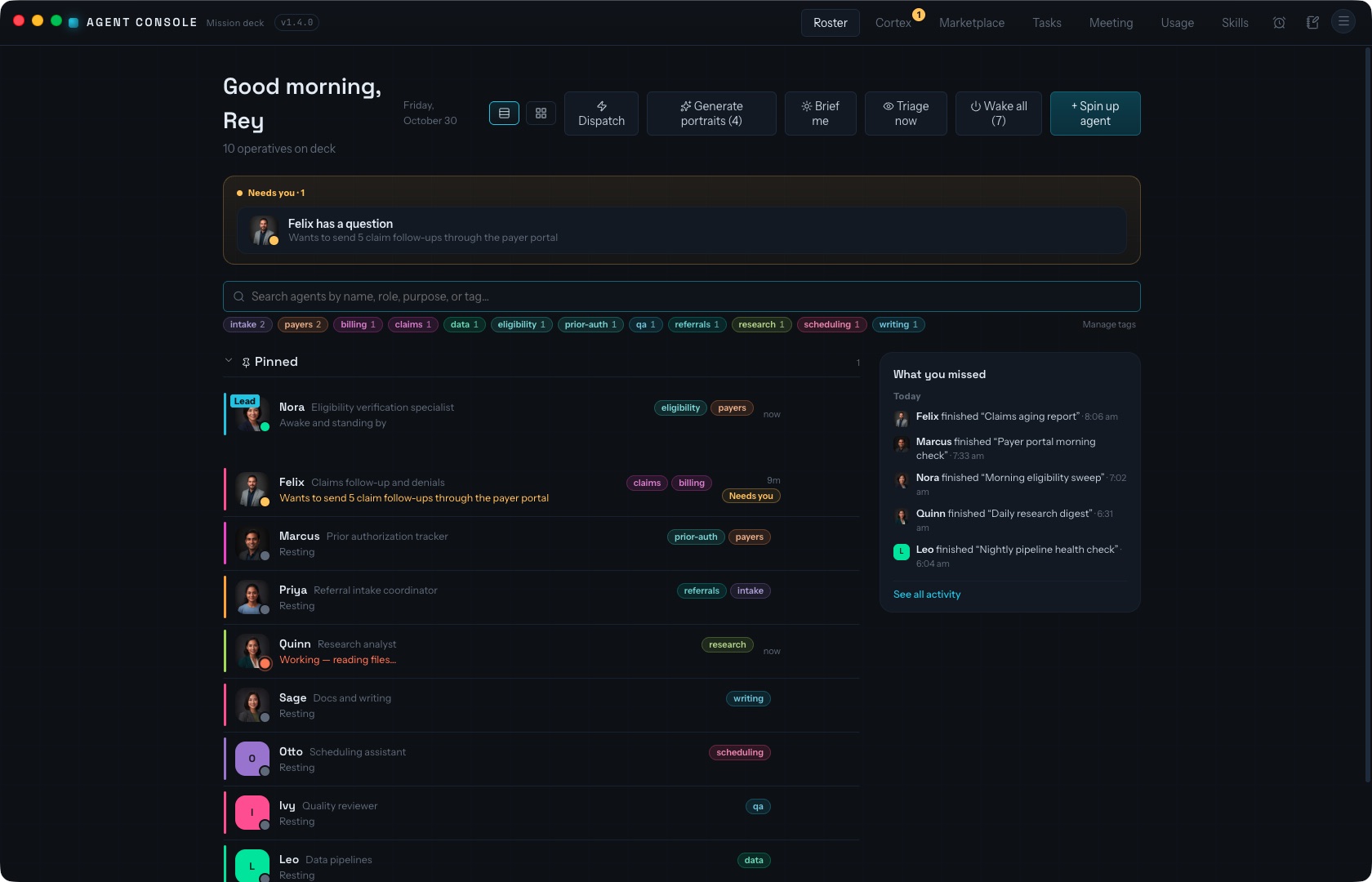
A desktop app for running a team of AI agents. Each agent has a name, a role, a working folder, a live terminal and a daily budget. They share a task board, a memory and a handoff system.
Built by Rey Columna. Designed, built and run by me, solo. No team.
- Built by
- Rey Columna, solo
- Status
- In daily use
- Stack
- Electron, React, TypeScript, SQLite
- Platform
- macOS & Windows desktop
- Link
- No public link. Internal tool.
The problem
AI agents work well one at a time. Run several in parallel and it falls apart. You juggle terminal tabs, lose track of who is doing what, and pay for runs you forgot were still going.
I wanted to run a team of agents the way you run a team of people. A clear role and a budget for each. One place to see everyone's status. A shared board to coordinate the work.
What I built
One desktop app that turns a pile of separate AI sessions into a coordinated crew. Create a named agent, give it a role and a folder, and it runs as a full interactive session you can open any time. The app keeps the whole fleet organized around it.
Roster & teams
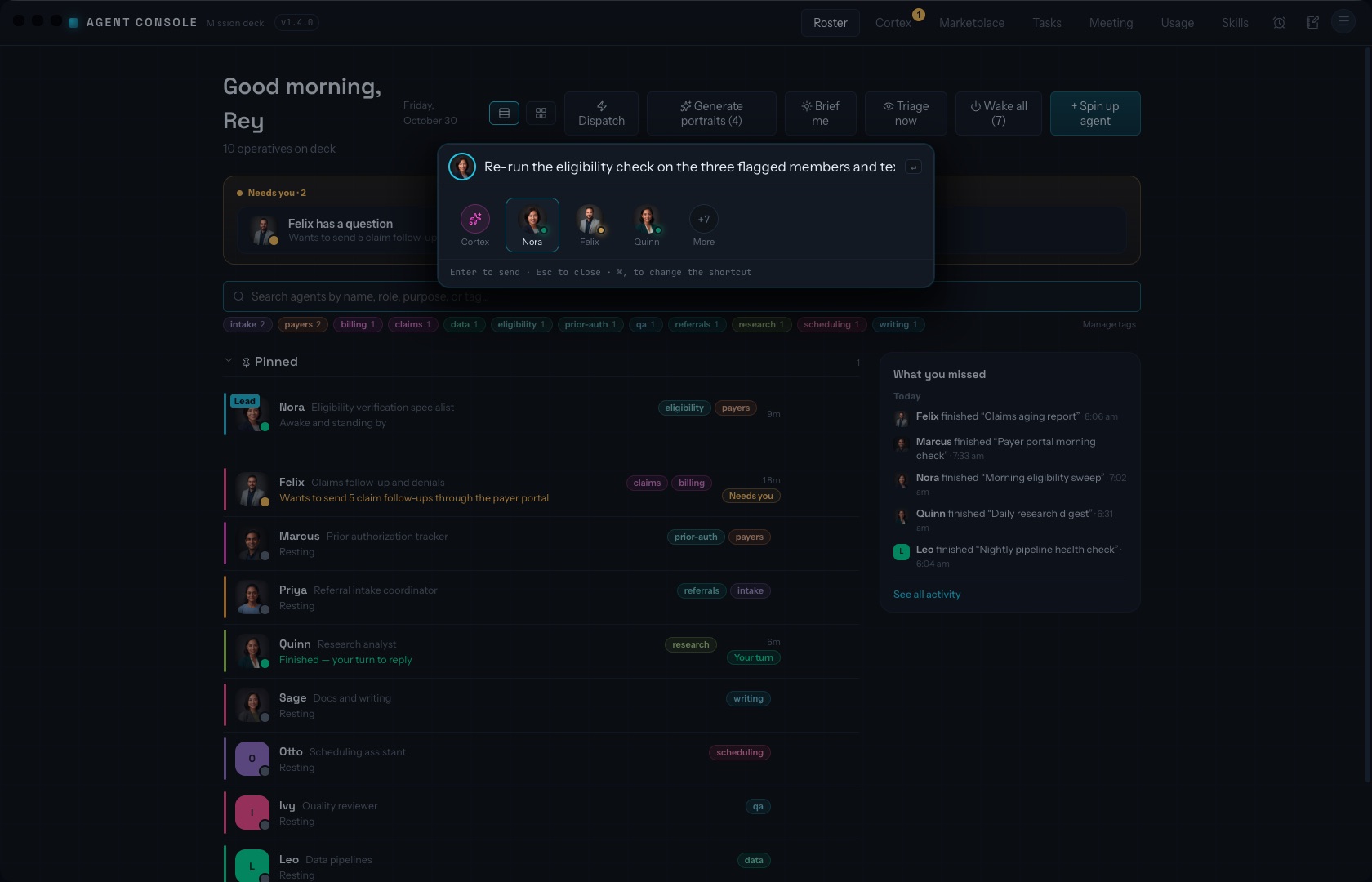
Every agent is a card, grouped by team lead, with live status, today's spend and inline editing of role and settings.
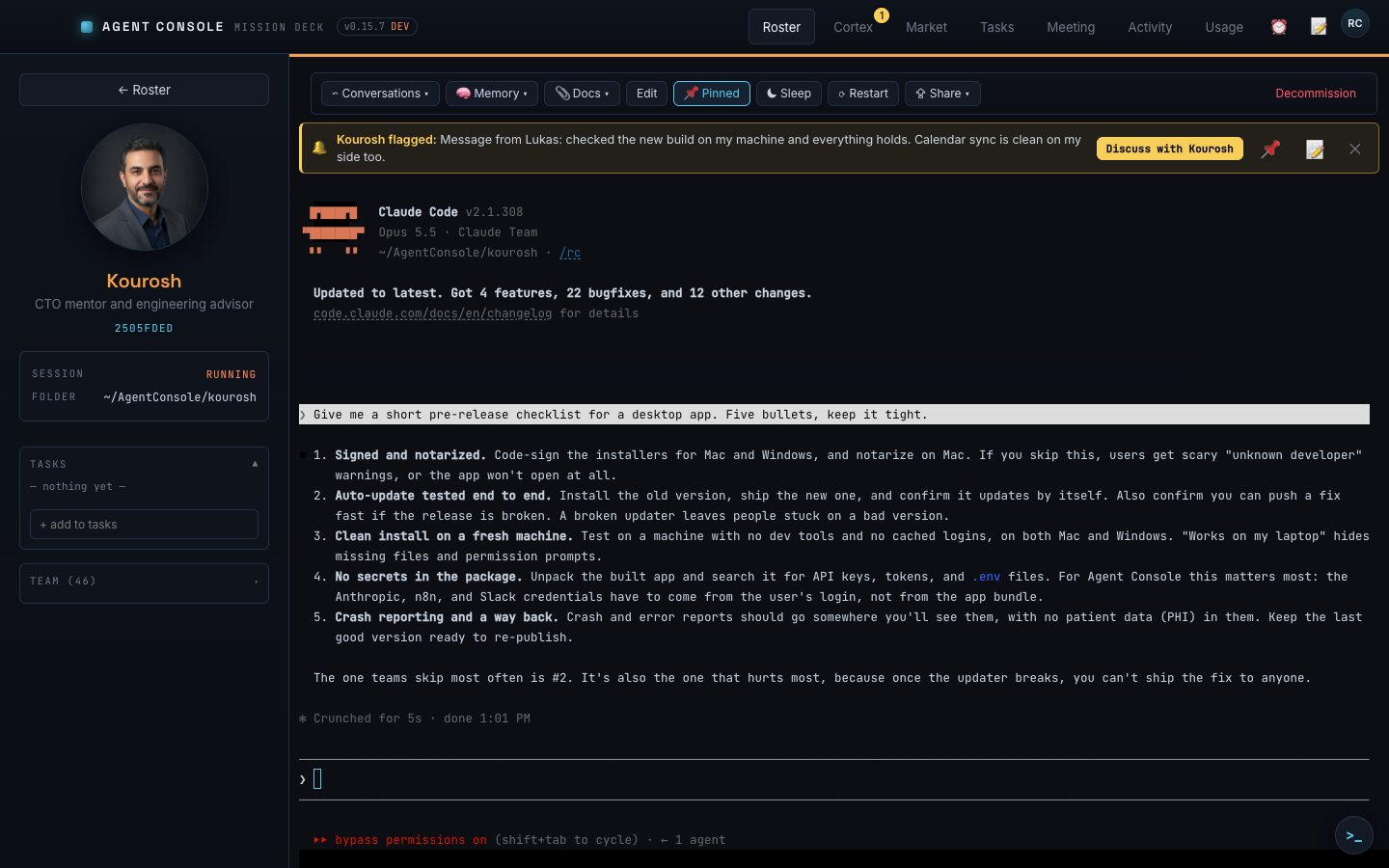
A real terminal per agent
Each agent is a full AI coding session in its own terminal. Resumable and complete, not a cut-down chat box.
Shared task board
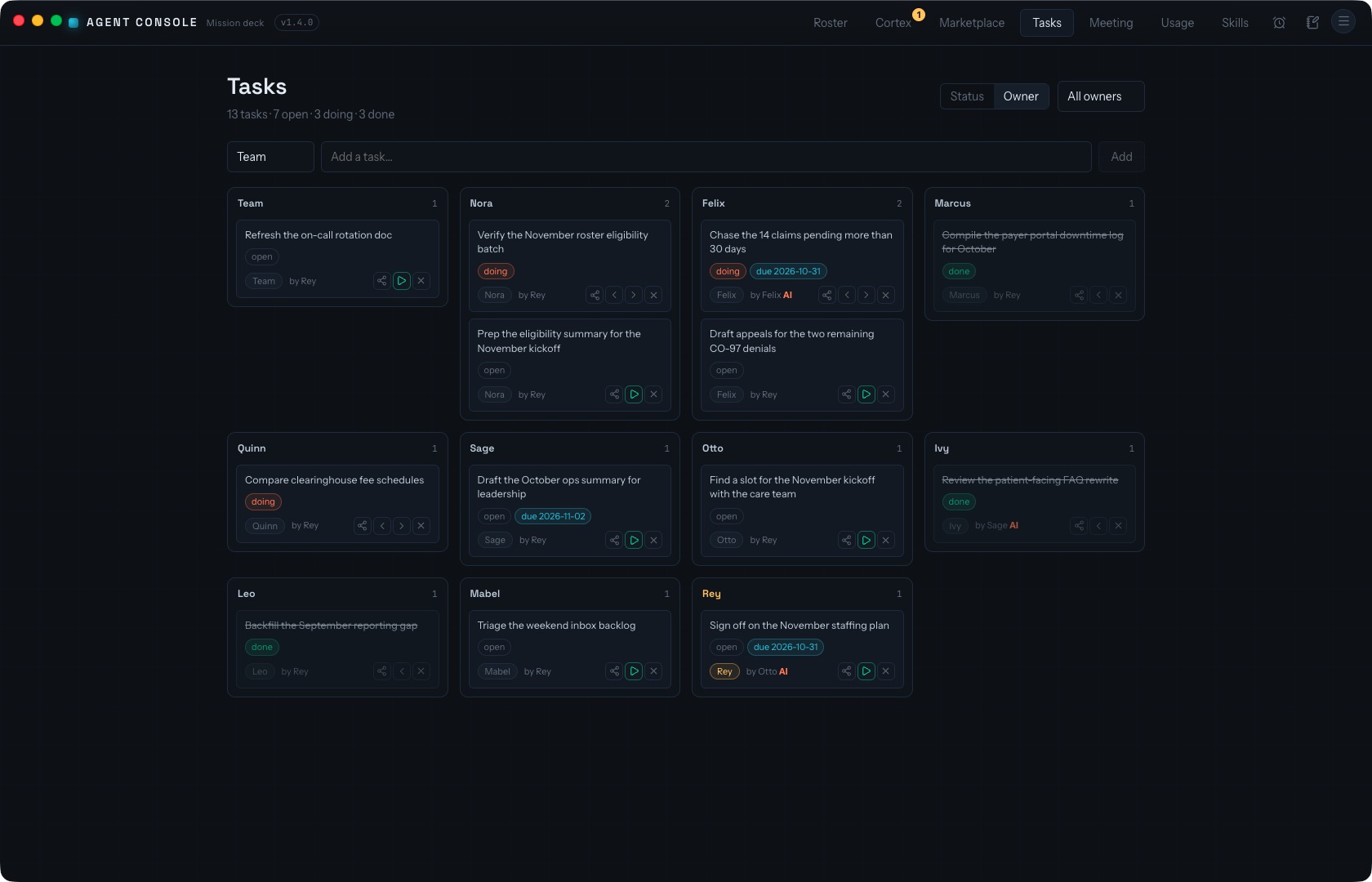
A kanban of every agent's tasks plus a shared team list. Moving a task to Doing hands it to its owner to run.
Activity feed
A live log of every cross-agent event: messages, questions, handoffs and wake-ups.
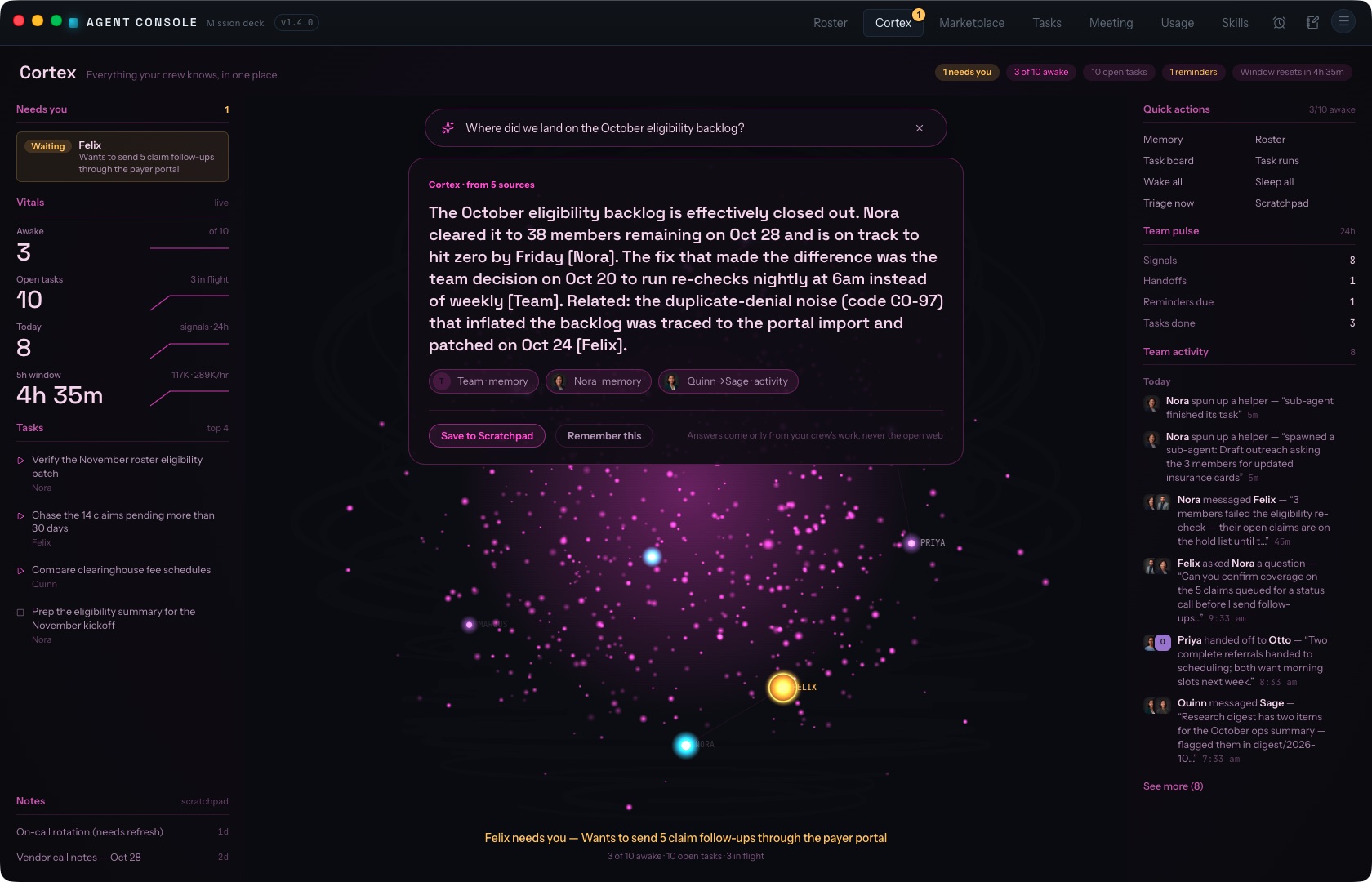
Cortex
Search across what the team has remembered and done. It answers with a cited summary built only from those records.
Cost metering
Per-agent daily caps. Automatic runs pause the moment an agent hits its limit.
Triage & briefings
One sweep of my inbox and messages routes each item to the most relevant agent. Start-of-day briefings and recurring tasks run on their own and show up on the agent's card.
Marketplace & Meeting Copilot
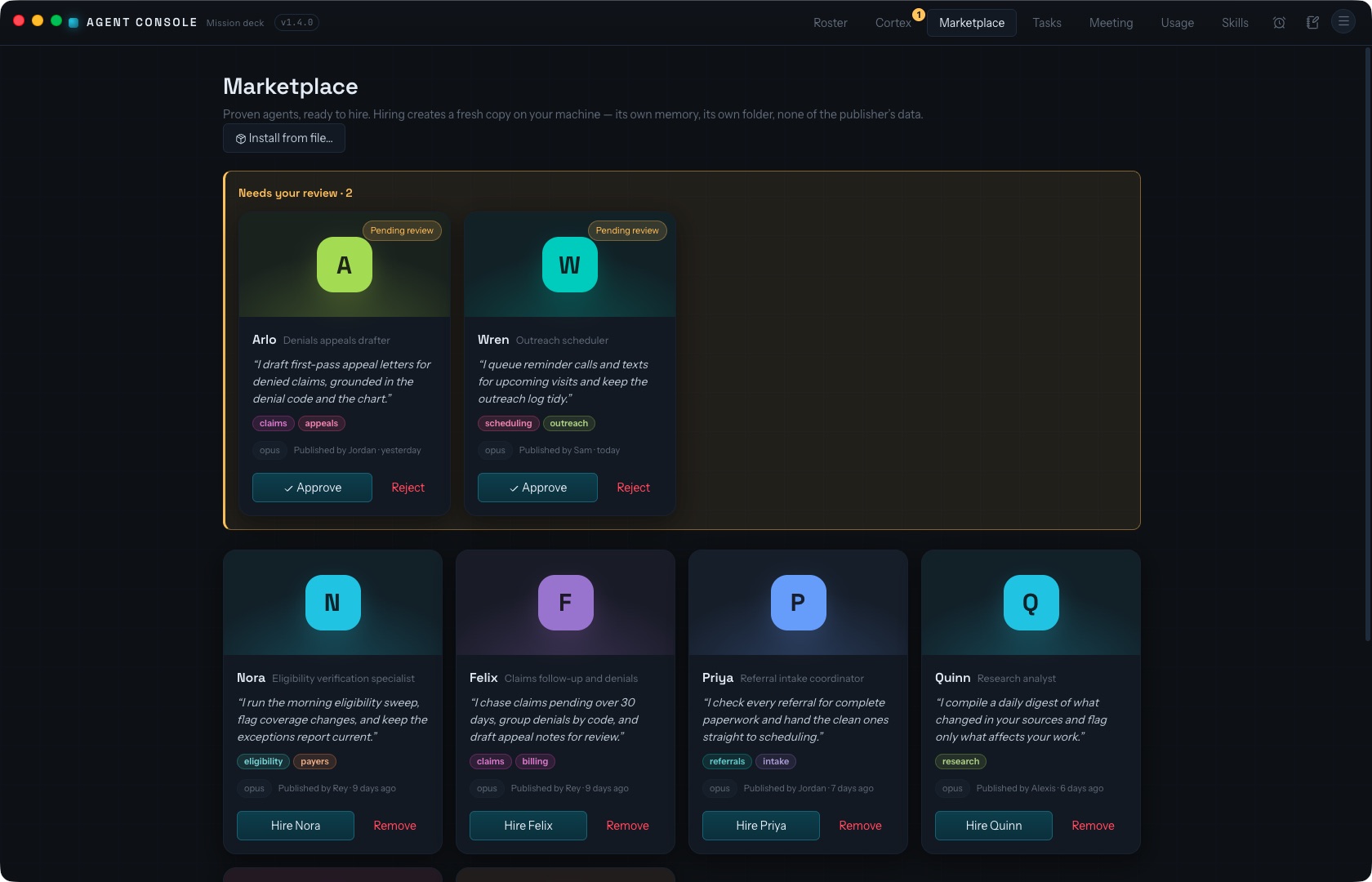
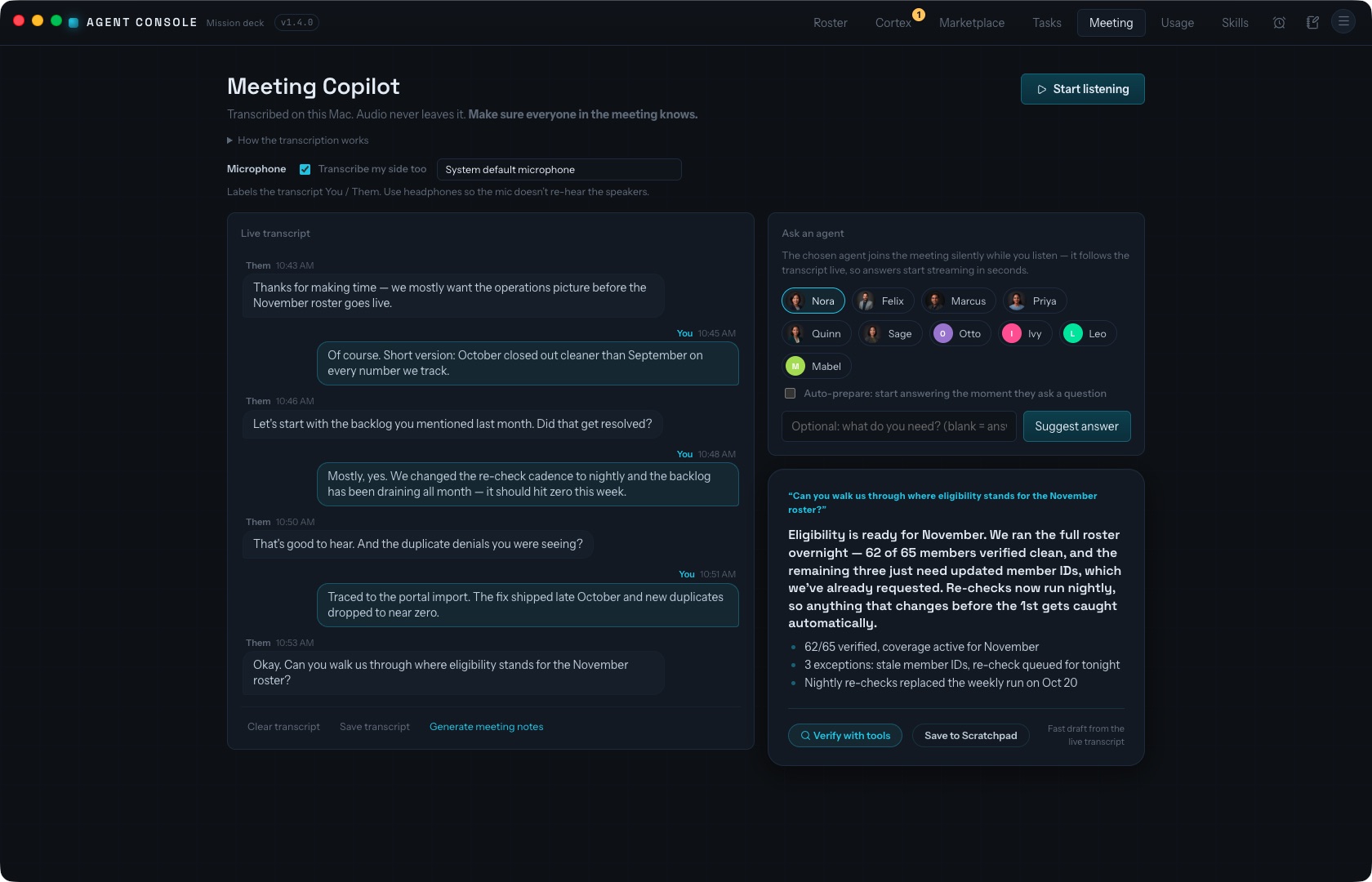
Share agent templates with teammates (memories and conversations stay behind). Transcribe a meeting locally while an agent drafts answers.
How agents work together
I wrote a local tool server that gives every agent the same 17 tools. They are how agents coordinate without me in the middle.
Tasks (6)
List, add, update, reassign, finish and delete tasks on their own list or the shared team list.
Teamwork (5)
See who is on the team and what they are doing. Send a message, ask a direct question, or hand a tracked task to a teammate.
Memory (2)
Agents save durable notes and recall them later. A recent digest is loaded into each new session.
Reminders (2)
An agent can set a reminder for me ("remind me to...") and list the ones it set.
Automations (2)
Agents can fire my n8n workflows. They can only call workflows on an allow-list I control, never the rest of the n8n account.
Wake and sleep. Each awake agent is a full session that costs money, so idle agents can be put to sleep after a set number of minutes and pick up where they left off. A sleeping teammate can be woken on demand, with three guardrails: a 10 minute cooldown per pair of agents, an hourly cap across all agents (default 6), and no wake chains, so a woken agent can't wake others straight away. When a wake is refused, the agent is told to leave a message instead.
Architecture
Three processes, split so the part you see holds no secrets.
Main process
Starts and owns each agent session, runs scheduled and background calls, stores everything in a local SQLite database, and holds the secrets. Nothing sensitive leaves it.
Interface
A React UI in a hard sandbox. No Node access and no keys.
Bridge
A narrow, typed channel between the two. It is the only way the interface reaches the main process.
Live status
Each agent's session reports its activity to a small local-only server. That feeds the live status on the roster cards.
Credentials are encrypted with the operating system's secure storage. The interface only ever sees whether a key is set.
What I personally did
All of it. Product design, architecture, the app, the tool server, the packaging, the release routine and the day-to-day running of it. You can check the record:
- 352 commits in the repository, all from one author, me.
- First commit June 20, 2026. Latest October 29, 2026.
- About 35,700 lines of TypeScript, with 18 test files.
- Version 1.4.0, with a changelog and a signed, self-updating build process.
The code is private, so I can't link it. I'm happy to walk through it live. Email me.
In production today
I use Agent Console every day to run my own agents. Dozens of them are on my roster. By my own estimate it has roughly 4x'd my output. Teammates at Welby use it too. About a dozen people across the company use it daily. They run their own agents, share agent templates, and call the same set of approved automations.
Markus is my other big build. It is Welby Health's clinical AI teammate for nurses. I designed and built it and wrote most of the code. See the Markus page.
Inside the app
Screens shown with sample data. More in my write-up Everyone at my company has AI employees now.
No public link. It's an internal tool and the code is private. Read the story on Medium.